
In this modern AI era, people talk a lot of AI, LLM and etc. How LLMs capable in doing heavy and long-running tasks. LLMs nowadays also can act as an agent, completing tasks, hence the Agentic AI terms emerge. The LLMs nowadays are indeed powerful. They are trained with vast volumes of data and use billions of parameters to generate output for tasks like answering questions, translating languages, and completing sentences.
However, there are times when an LLMs can’t find an answer from its training data or through tool calls, and instead makes something up. That is something we definitely want to avoid. So, how do we solve this hallucination issue? RAG is the answer.
What is RAG?
Based on AWS definition, Retrieval-Augmented Generation (RAG) is the process of optimising the output of a large language model, so it references an authoritative knowledge base outside of its training data sources before generating a response. Large Language Models (LLMs) are trained on vast volumes of data and use billions of parameters to generate original output for tasks like answering questions, translating languages, and completing sentences. RAG extends the already powerful capabilities of LLMs to specific domains or an organisation's internal knowledge base, all without the need to retrain the model. It is a cost-effective approach to improving LLM output so it remains relevant, accurate, and useful in various contexts.
Think of it something like training your LLM to only answer questions from a specific scope, and answers provided are based from the source that given to it. By grounding the model in real data at query time, you significantly reduce hallucinations and off-topic answers.
RAG flows
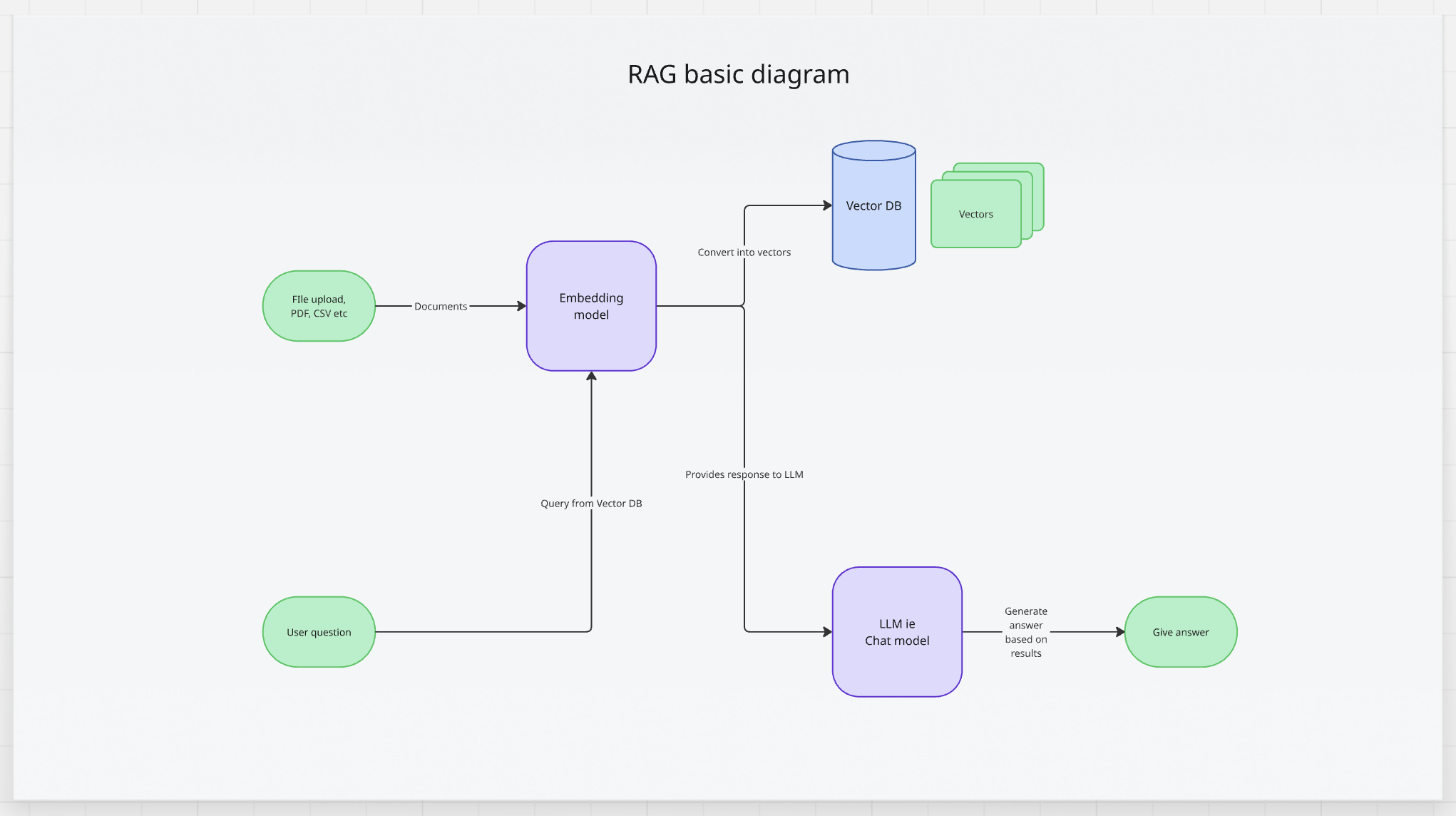
At first, RAG sources or knowledge based are usually via file upload. The files can be in any kind of format, either PDF, CSV, Text, Audio, Images and etc. This stage is called Data Ingestion. The data will be ingested into a database.
But wait, database only supports either SQL or JSON for NoSQL right? That is correct. For RAG, we won’t be using either SQL or NoSQL database. We will need to use Vector Database.
What is Vector Database?
According to AWS definition, Vector Databases are databases that provide the ability to store and retrieve vectors as high-dimensional points. They add additional capabilities for efficient and fast lookup of nearest-neighbors in the N-dimensional space. They are typically powered by k-nearest neighbor (k-NN) indexes and built with algorithms like the Hierarchical Navigable Small World (HNSW) and Inverted File Index (IVF) algorithms.
These are several Vector Databases available:
- PostgreSQL with pgvector
- Milvus
- Pinecone
- Qdrant
- ChromaDB
For starters, I would suggest to work with PostgreSQL with pgvector first. Most of engineers are familiar with PostgreSQL, and to work with Vector Database, the only things needed is plug in the pgvector package into current package. It works seamlessly!
Vector databases provide additional capabilities like data management, fault tolerance, authentication and access control, and a query engine. It works differently by ingesting the data and converting it into vectors via embedding. On the embedding matter, you can imagine it as a vast numerical vectors that contain semantic meanings behind the text. Something like this.
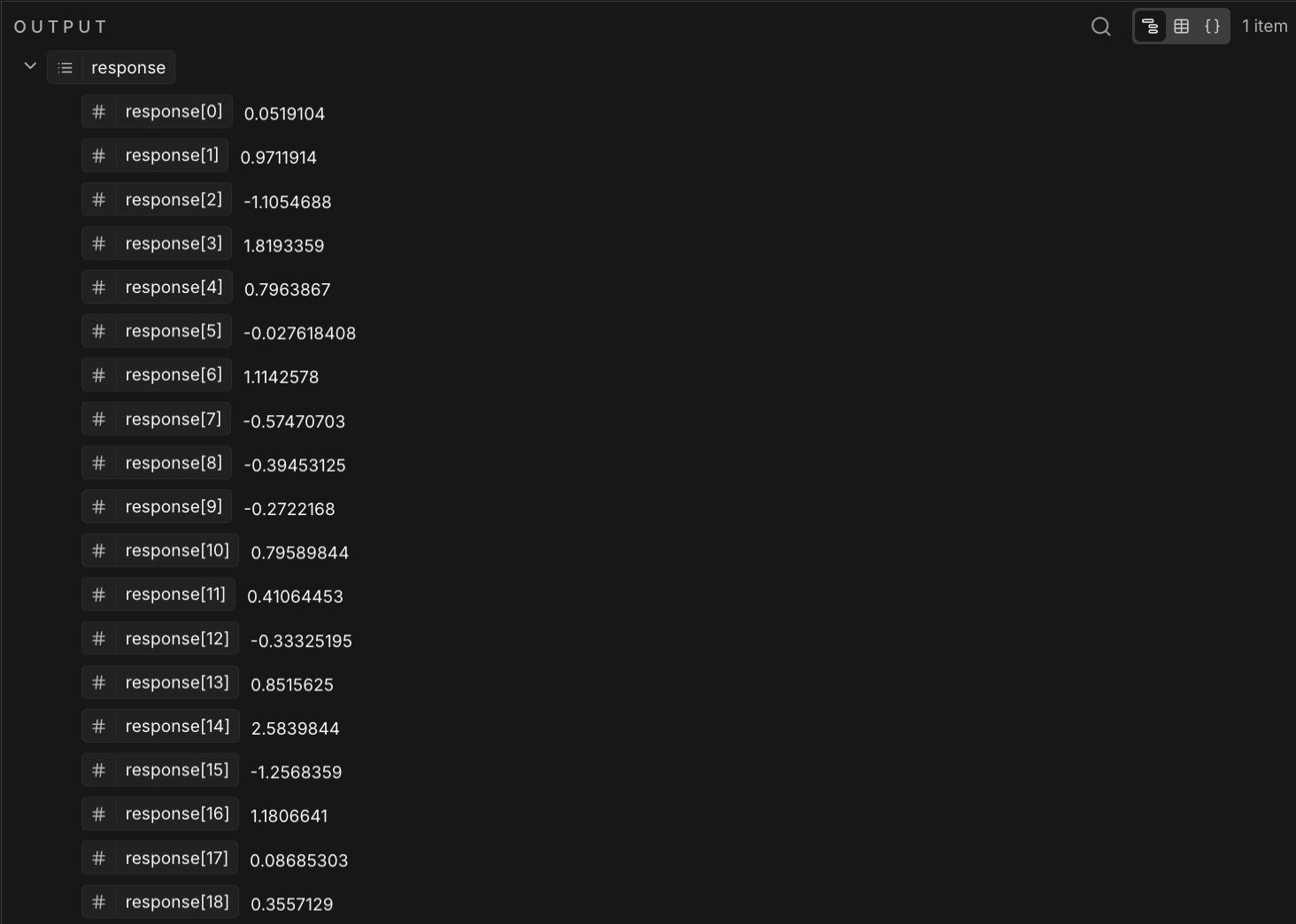
Who are in charge for converting sources into embeddings?
The easiest way to run embeddings is via embedding model. Embedding models are algorithms trained to encapsulate information into dense representations in a multi-dimensional space. Data scientists use embedding models to enable ML models to comprehend and reason with high-dimensional data. These are common embedding models used in ML applications.
In this era, there are a lot of embeddings model available online. This is list of available embeddings model.
- Cohere Embedding Model
- HuggingFace Embedding Model
- OpenAI Embedding Model
- Gemini Embedding Model
- Mistral Cloud Embedding Model
I would highly suggest to try Cohere Embeddings Model in order to run embeddings. Cohere provides a highly trained model to convert sources into vectors. It provides various dimensions like 384, 768, 1024 and 4096. Besides, Cohere also supports multilingual models, which is a huge plus for applications that need to search, retrieve, and answer questions from documents written in different languages.
Retrieval, how LLM fetch the knowledge bases and provides output
The next part is retrieval. Retrieval is done by LLM by fetching the answers from the knowledge base, the Vector Database according to the question. The LLM will find the most relevant and controlled document chunks, convert it to human readable format, either via sentences, paragraph or structured output, and then serve the response.
Conclusions
RAG is a really good approach to train the LLM and provides controlled output, based on the authorised knowledge base. This can help reduce hallucination, generated answer and sometimes, confident but garbage answer.
To start getting your hands dirty, you should start play around with RAG using n8n. It is a good place to play around with data ingestion, setting up Vector Database and running multi model in workflow, one for embedding model, another for chat model.
Related article:
- Cohere embedding model = https://cohere.com/embed
Have fun 😄.
Written with love by Arif Mustaffa
Back to blog page